
User Management
Madhyamas Enterprise includes a full user management system with PostgreSQL-backed persistence, Argon2id password hashing, and role assignment. Users can be managed via the web UI, CLI, or REST API.
User Fields
| Field | Type | Description |
|---|---|---|
id | UUID | Unique identifier (auto-generated) |
username | String | Login username (unique) |
email | String | Email address |
display_name | String | Display name (optional) |
role | Enum | admin, user, viewer, readonly |
status | Enum | active, inactive, suspended, pending_verification |
created_at | Timestamp | Account creation time |
last_login | Timestamp | Last successful login |
preferences | JSON | User preferences (UI settings, etc.) |
Web UI
The Users admin panel provides a full management interface:
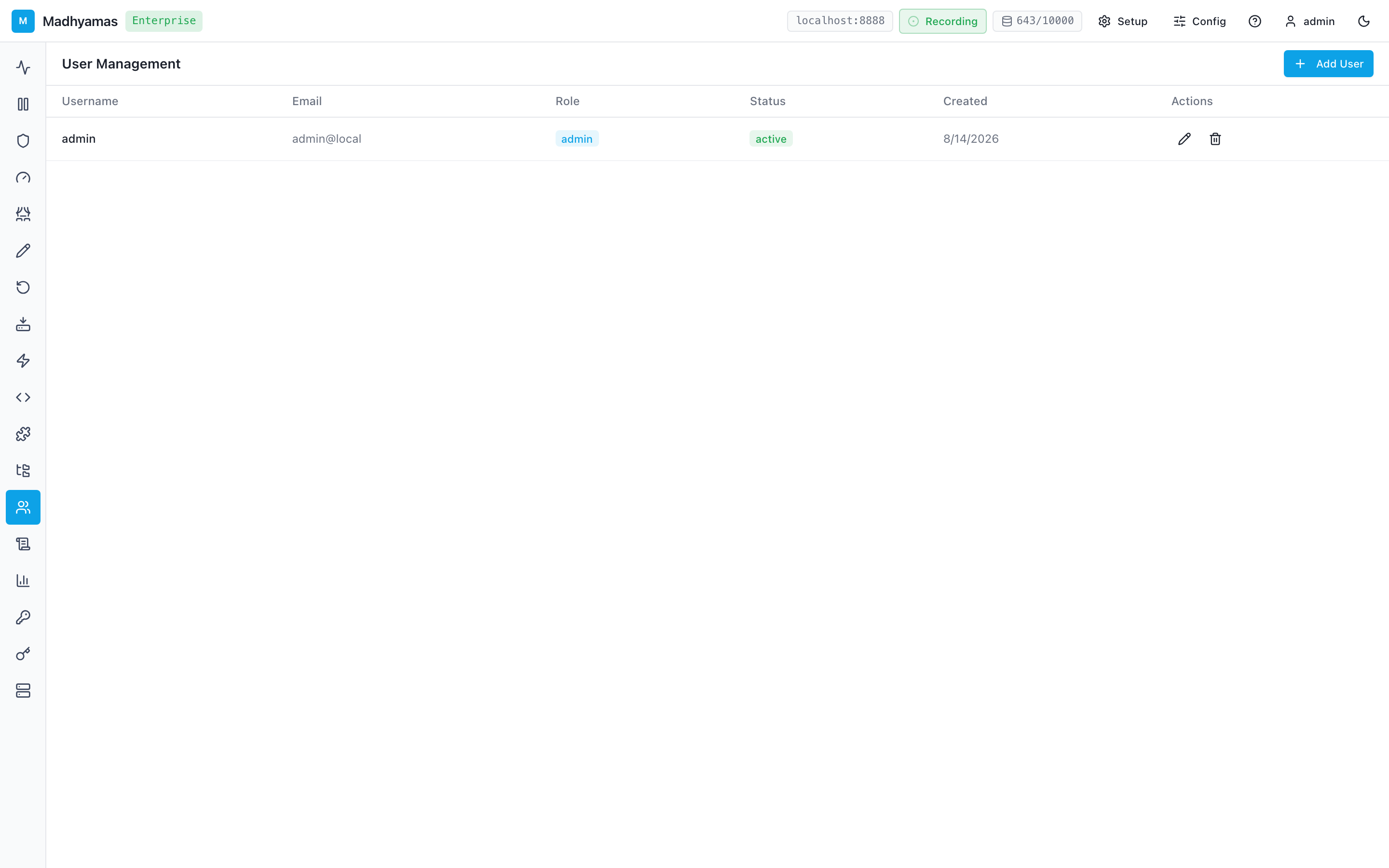
Accessing the Panel
- Log in as an admin
- Click the Users icon in the navigation rail (left sidebar)
Creating a User
- Click Add User
- Fill in the form: username, email, password, role
- Click Create
The new user can immediately log in with their credentials.
Editing a User
- Click the edit (pencil) icon next to a user
- Modify email, display name, role, or status
- Click Save
Deleting a User
- Click the delete (trash) icon next to a user
- Confirm the deletion
Irreversible
Deleting a user is permanent. Consider suspending the user instead if you may need to reactivate them later.
Resetting a Password
- Click the edit icon next to a user
- Enter a new password in the password field
- Click Save
Passwords are hashed with Argon2id before storage.
Changing User Status
| Status | Effect |
|---|---|
| Active | User can log in and use the system normally |
| Inactive | User cannot log in (deactivated) |
| Suspended | User cannot log in (administrative action) |
| PendingVerification | User cannot log in until email is verified |
CLI
# List all users
madhyamas users list
madhyamas users list --json  # JSON output for scripting

# Create a user
madhyamas users create \
  --username alice \
  --email alice@example.com \
  --password secure-password \
  --role user

# Delete a user
madhyamas users delete --id <user-id>

# Update a user's role
madhyamas users update-role --id <user-id> --role admin
REST API
List Users
curl -H "Authorization: Bearer <token>" \
  http://localhost:3001/api/users
Create a User
curl -X POST http://localhost:3001/api/users \
  -H "Authorization: Bearer <token>" \
  -H "Content-Type: application/json" \
  -d '{
    "username": "alice",
    "email": "alice@example.com",
    "password": "secure-password",
    "role": "user"
  }'
Get a User
curl -H "Authorization: Bearer <token>" \
  http://localhost:3001/api/users/<user-id>
Update a User
curl -X PUT http://localhost:3001/api/users/<user-id> \
  -H "Authorization: Bearer <token>" \
  -H "Content-Type: application/json" \
  -d '{
    "email": "alice-new@example.com",
    "role": "admin",
    "status": "active"
  }'
Delete a User
curl -X DELETE http://localhost:3001/api/users/<user-id> \
  -H "Authorization: Bearer <token>"
Bootstrap Admin User
On first startup, Madhyamas creates a default admin user:
madhyamas \
  --admin-username admin \
  --admin-password your-secure-password \
  --enable-auth \
  --jwt-secret your-secret
If the admin user already exists (from a prior run or another instance), the bootstrap is a no-op — the ON CONFLICT (username) DO NOTHING clause prevents duplicate user errors.
Auto-generated password
If --admin-password is not set, a random password is generated and logged:
Bootstrap: created admin user 'admin'. Auto-generated password (CHANGE IMMEDIATELY): <password>Password Security
- Passwords are hashed with Argon2id (memory-hard, resistant to GPU/ASIC attacks)
- Passwords are never logged or returned in API responses
- The
last_logintimestamp is updated on each successful login
Best Practices
| Practice | Recommendation |
|---|---|
| Least privilege | Assign the minimum role needed (viewer > user > admin) |
| Deactivate, don't delete | Use inactive status for departed users to preserve audit history |
| Unique emails | Each user should have a unique email for SSO and notifications |
| Strong passwords | Enforce strong passwords (12+ chars, mixed case, numbers, symbols) |
| Regular review | Periodically review the user list and remove inactive accounts |
| Service accounts | Use API keys instead of user accounts for automation |
See Also
- Authentication — Login flow, JWT, API keys
- RBAC — Roles and permissions
- Audit Logging — Tracking user actions
- CLI & MCP Tools — User management via CLI and MCP