
Authentication
Madhyamas Enterprise supports multiple authentication mechanisms: JWT for interactive sessions, API keys for automation, and SSO integration for enterprise identity providers.
Authentication Modes
| Mode | Flag | Use Case |
|---|---|---|
| Local (default) | --auth-mode local | Username/password stored in PostgreSQL |
| OIDC | --auth-mode oidc | Okta, Auth0, Keycloak, Google Workspace |
| Header-based | --auth-mode header | Reverse proxy auth (Cloudflare Access, authentik, authelia) |
| LDAP | --auth-mode ldap | Active Directory, OpenLDAP |
| SAML | --auth-mode saml | Enterprise SAML 2.0 IdPs |
| Disabled | --enable-auth false | No authentication (not recommended for production) |
JWT Authentication
JWT (JSON Web Token) is the primary authentication mechanism for interactive sessions. Tokens are signed with HMAC-SHA256.
Login Flow
- Client sends
POST /api/auth/loginwith username and password - Server validates credentials against the PostgreSQL user database
- Server returns a JWT access token and a refresh token
- Client includes the token in the
Authorization: Bearer <token>header for subsequent requests
# Login
curl -X POST http://localhost:3001/api/auth/login \
  -H "Content-Type: application/json" \
  -d '{"username":"admin","password":"your-password"}'

# Response
{
  "token": "eyJ0eXAiOiJKV1QiLCJhbGciOiJIUzI1NiJ9...",
  "refresh_token": "eyJ0eXAiOiJKV1QiLCJhbGciOiJIUzI1NiJ9...",
  "user": {
    "id": "95fc204d-...",
    "username": "admin",
    "email": "admin@local",
    "role": "admin"
  },
  "expires_at": 1786746413
}
JWT Claims
| Claim | Description |
|---|---|
sub | User ID |
iss | Issuer (madhyamas) |
aud | Audience (madhyamas-api) |
exp | Expiration time |
iat | Issued at |
role | User role (admin, user, viewer, readonly) |
sid | Session ID |
typ | Token type (access or refresh) |
Token Refresh
Access tokens expire after jwt_expiration_secs (default: 3600 seconds / 1 hour). Use the refresh token to get a new access token without re-entering credentials:
curl -X POST http://localhost:3001/api/auth/refresh \
  -H "Content-Type: application/json" \
  -d '{"refresh_token":"<refresh_token>"}'
Logout
curl -X POST http://localhost:3001/api/auth/logout \
  -H "Authorization: Bearer <token>"
This invalidates the session. The token will no longer be accepted.
Web UI
The web UI handles authentication automatically:
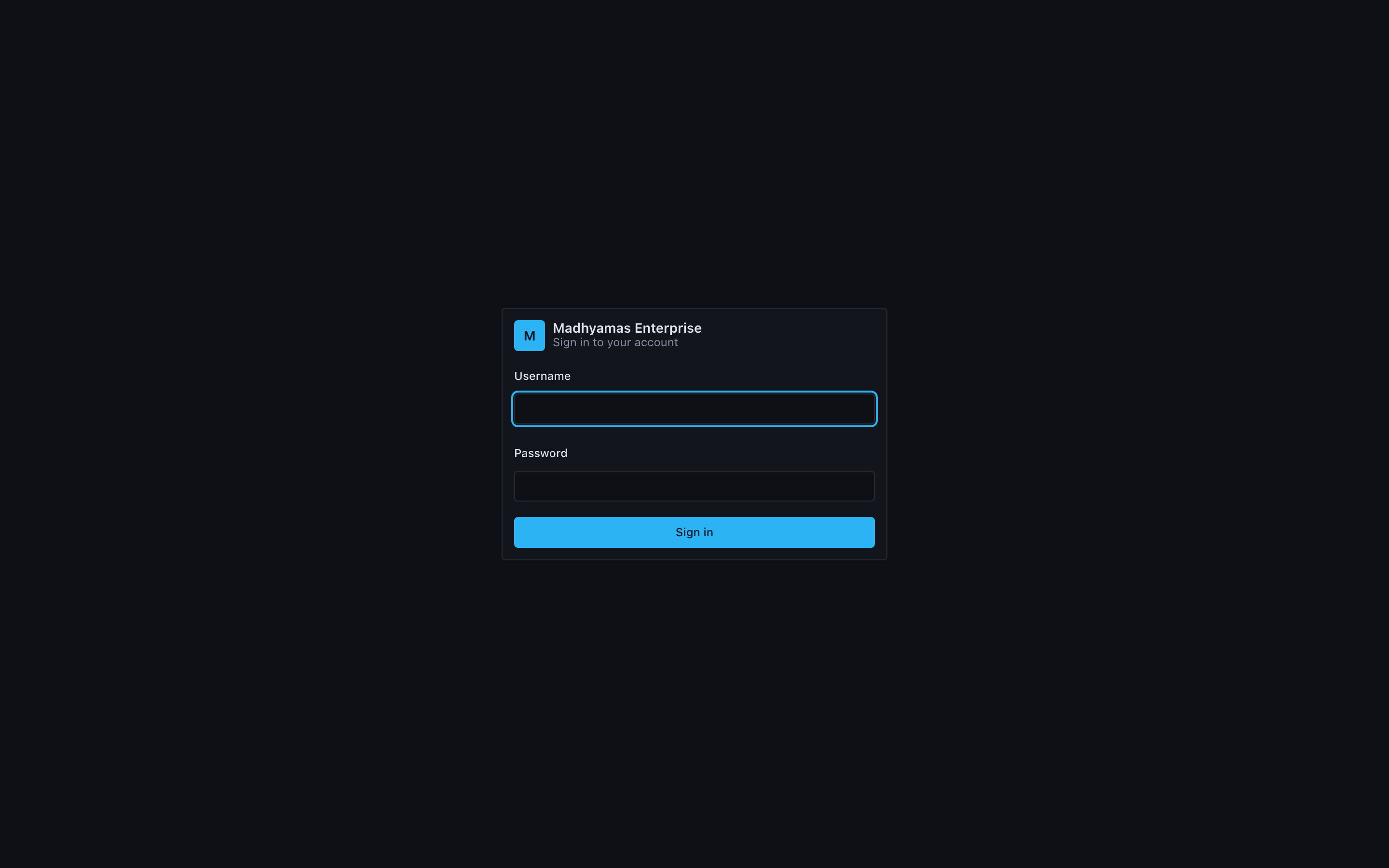
- Login page — Shown when authentication is required and no valid token exists
- Session timeout warning — Displayed before the token expires
- User menu — Header dropdown showing username, role, and sign-out button
Auth Configuration
| Setting | Flag | Default | Description |
|---|---|---|---|
| Enable auth | --enable-auth | false | Enable authentication middleware |
| JWT secret | --jwt-secret | dev secret | HMAC-SHA256 signing secret |
| Token expiration | --jwt-expiration-secs | 3600 | Access token lifetime in seconds |
| Refresh interval | --refresh-interval-secs | 300 | Web UI auto-refresh interval |
| API key header | --api-key-header | X-API-Key | Header name for API key auth |
Production JWT secret
Always set --jwt-secret to a strong, random value in production. The default development secret is insecure.
API Keys
API keys are long-lived tokens for automation, CI/CD pipelines, and AI agent integration. They use the format mad_<uuid> and are transmitted via the X-API-Key header.
Creating API Keys
# Via API
curl -X POST http://localhost:3001/api/auth/api-keys \
  -H "Authorization: Bearer <jwt-token>" \
  -H "Content-Type: application/json" \
  -d '{
    "name": "CI Pipeline Key",
    "scopes": ["traffic:read", "traffic:export"],
    "expires_at": "2025-12-31T23:59:59Z"
  }'

# Via CLI
madhyamas auth api-keys create --name "CI Pipeline Key" --scopes "traffic:read,traffic:export"

# Via web UI: Admin → API Keys → Create Key
Key is shown once
The full API key value is only displayed once at creation time. Store it securely — you cannot retrieve it later.
Using API Keys
# REST API
curl -H "X-API-Key: mad_abc123..." http://localhost:3001/api/traffic

# CLI
madhyamas --api-url http://localhost:3001 --api-key mad_abc123... traffic list

# MCP server
madhyamas mcp --api-url http://localhost:3001 --api-key mad_abc123...
Managing API Keys
| Action | How |
|---|---|
| List keys | GET /api/auth/api-keys or madhyamas auth api-keys list |
| Revoke key | DELETE /api/auth/api-keys/{id} or madhyamas auth api-keys revoke --id <id> |
| View in UI | Admin → API Keys panel |
Each key tracks last_used (timestamp of last API call) and expires_at (optional expiration).
API Key Scopes
Scopes limit what an API key can do. The format is resource:permission:
| Scope | Description |
|---|---|
traffic:read | View traffic data |
traffic:export | Export traffic (HAR, JSON) |
traffic:write | Modify traffic (replay, repeat) |
config:read | View configuration |
config:write | Modify configuration |
users:read | List users |
users:write | Create/modify users |
audit:read | View audit events |
audit:export | Export audit logs |
SSO Integration
OIDC (OpenID Connect)
OIDC integrates with Okta, Auth0, Keycloak, Google Workspace, and other OIDC-compatible providers.
madhyamas \
  --auth-mode oidc \
  --oidc-issuer https://your-tenant.okta.com/oauth2/default \
  --oidc-client-id madhyamas-client \
  --oidc-client-secret your-client-secret \
  --oidc-redirect-uri https://madhyamas.yourcompany.com/api/auth/oidc/callback
Header-based Auth
For reverse proxies that handle authentication externally (Cloudflare Access, authentik, authelia, Traefik Forward Auth):
madhyamas \
  --auth-mode header \
  --auth-header X-Forwarded-User \
  --auth-header-role X-Forwarded-Role
The proxy reads the username from X-Forwarded-User and the role from X-Forwarded-Role. Users are auto-provisioned on first access.
LDAP
For Active Directory or OpenLDAP:
madhyamas \
  --auth-mode ldap \
  --ldap-url ldap://dc.yourcompany.com:389 \
  --ldap-base-dn "DC=yourcompany,DC=com" \
  --ldap-bind-dn "CN=madhyamas-svc,OU=ServiceAccounts,DC=yourcompany,DC=com" \
  --ldap-bind-password your-service-password \
  --ldap-user-filter "(&(objectClass=user)(sAMAccountName={username}))"
SAML 2.0
For enterprise SAML IdPs:
madhyamas \
  --auth-mode saml \
  --saml-idp-metadata-url https://your-idp.example.com/metadata \
  --saml-sp-entity-id https://madhyamas.yourcompany.com \
  --saml-acs-url https://madhyamas.yourcompany.com/api/auth/saml/acs
MFA (Multi-Factor Authentication)
MFA using TOTP (Time-based One-Time Password) is available for Pro and Enterprise plans.
Setup
- Log in to the web UI
- Navigate to user settings
- Scan the QR code with an authenticator app (Google Authenticator, Authy, 1Password)
- Enter the 6-digit code to verify
Recovery
Recovery codes are generated during setup. Store them securely — each code can be used once if you lose access to your authenticator device.
Proxy Authentication
By default, the proxy listener (port 8888) does not require authentication. To require auth for proxy connections:
madhyamas --proxy-authThis requires a valid JWT or API key for all HTTP CONNECT and HTTP requests through the proxy.
Public Endpoints
The following endpoints bypass authentication:
| Path | Purpose |
|---|---|
/health | Simple health check (for load balancer probes) |
/api/health/detailed | Detailed health check (for monitoring) |
/api/auth/login | Login endpoint |
/api/auth/oidc/callback | OIDC callback |
/api/auth/saml/acs | SAML assertion consumer |
All other /api/* endpoints require a valid JWT or API key when auth is enabled.
Troubleshooting
| Problem | Solution |
|---|---|
401 Unauthorized | Token expired or invalid. Log in again or refresh the token. |
403 Forbidden | Insufficient role/permissions. See RBAC. |
Invalid API key | Key was revoked or expired. Create a new key. |
| Login fails with correct credentials | Check that --enable-auth is set and the user exists in the database. |
| SSO redirect loop | Check that the redirect URI matches exactly between Madhyamas and the IdP. |
See Also
- User Management — Creating and managing user accounts
- RBAC — Roles and permissions
- CLI & MCP Tools — Using auth with CLI and MCP
- Configuration — All auth-related CLI flags